Punjab National Bank (PNB) Digital Transformation: Navigating the PNB ONE App in 2026
Master PNB ONE app in 2026. Learn setup, new security protocols, troubleshooting, and how to use IFSC codes for seamless digital banking.
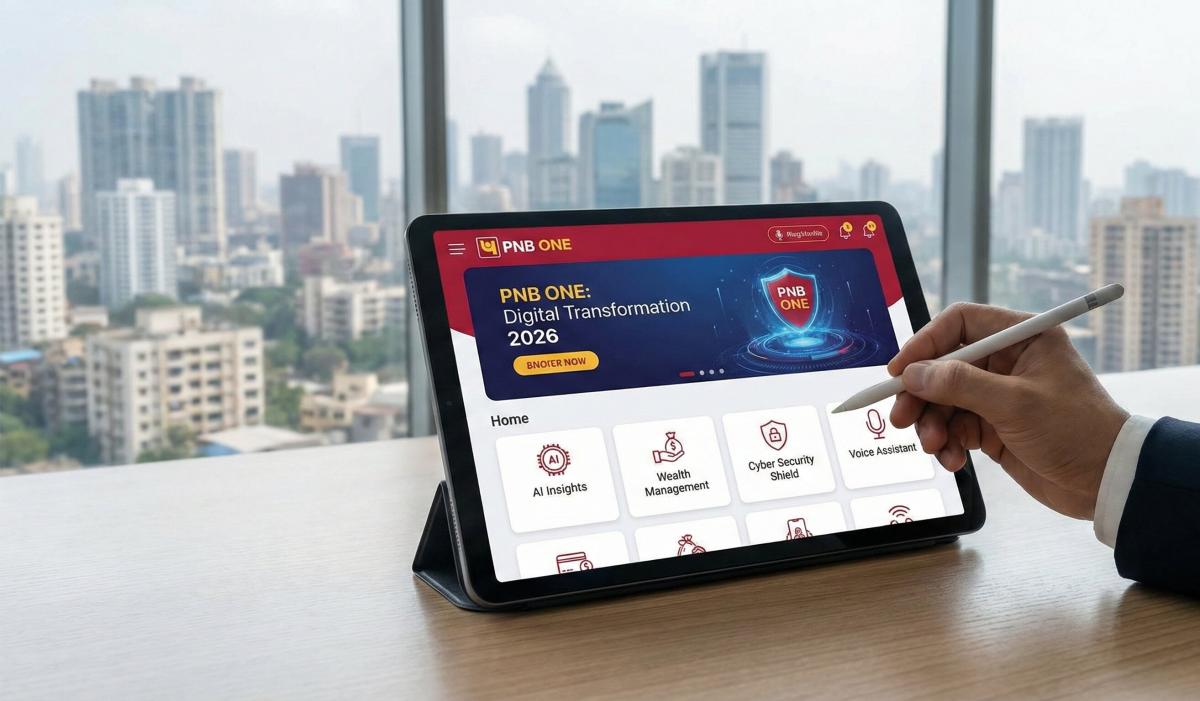
Table of Contents
Traditionally, visiting a public sector bank branch wasn't exactly anyone's idea of a fun lunch break. The queues, the paperwork, and the infamous "lunch time" delays were enough to test the patience of a saint.
But here is the deal—it’s 2026. The banking landscape in India has shifted aggressively under the RBI's latest "Digital First" mandates. Punjab National Bank (PNB) has overhauled its legacy systems to keep up with private giants, and the result is the revitalized PNB ONE app.
If you are still running to the branch to update your passbook or transfer money, you are living in the past. Today, I’m going to walk you through exactly how to master the PNB ONE app, navigate the new 2026 security protocols, and troubleshoot those annoying errors that still pop up from time to time.
The 2026 Upgrade: What’s Changed?
Before we dive into the "How-To," you need to understand the "Why." As of early 2026, PNB has integrated strict Risk-Based Authentication (RBA) protocols ahead of the April 2026 RBI deadline.
What does this mean for you?
- Strict SIM Binding: You can no longer log in from just any phone.
- Location Tagging: The app now checks your geo-location for high-value transactions.
- UI Overhaul: The interface is cleaner, removing the clutter of the 2024 version.
Pre-Requisites: Before You Hit Download
Don’t waste your data downloading the app if you don’t have your ducks in a row. Trust me on this—trying to register without these essentials is the #1 reason users get Error 901.
|
Requirement |
Why You Need It |
|
Registered Mobile Number (RMN) |
The app must verify the SIM card is physically in your phone. |
|
SIM Card in Slot 1 |
Crucial: For dual-SIM phones, keep your PNB-linked SIM in the primary slot to avoid SMS sending failures. |
|
Active SMS Plan |
The app sends a silent SMS for verification. No balance = No login. |
|
Debit Card or Aadhaar Number |
You need one of these to authenticate your identity during the initial setup. |
|
Android 13+ / iOS 17+ |
Older operating systems are no longer supported due to security patches. |
Pro Tip: If you recently swapped your SIM card (Sim Swap), you might face a 24-hour cooling period where no OTPs will be delivered. This is a standard anti-fraud measure.
Step-by-Step Guide: Registering on PNB ONE (2026 Edition)
We are going to look at the two most reliable ways to get in. Forget the "View Only" mode; we want full transaction rights.
Method 1: The Debit Card Route (Standard)
This is the fastest method if you have your ATM card handy.
- Download & Open: Install the official PNB ONE app from the Play Store or App Store. Do not share APKs via Bluetooth; download fresh.
- SIM Verification: Tap Proceed. The app will ask to send an SMS. Ensure you select the SIM linked to your bank account.
- Note: You will see a "Verifying Mobile Number" spinner. If it hangs here, check your SMS balance.
- Create New User: Once verified, you will see a login screen. Tap on New User.
- Account Details: Enter your Account Number and select Registration via Debit Card.
- Card Verification: Enter your 16-digit Card Number and your ATM PIN.
- Set Passwords:
- Sign-in Password: Used to log in to the app.
- Transaction Password: Used to authorize money transfers.
- Security Note: In 2026, PNB requires special characters in passwords. Use something like Pnb#2026! rather than just Pnb123.
Method 2: The Aadhaar Route (No Debit Card?)
Lost your card? No problem. The 2026 update has stabilized the Aadhaar OTP method, which used to be glitchy.
- Follow the initial SIM verification steps above.
- On the registration screen, select Registration via Aadhaar.
- Enter your Account Number and select Mobile & Internet Banking Service.
- You will receive an OTP on the mobile number linked to your Aadhaar (UIDAI), not necessarily your bank mobile number (though they are usually the same).
- Enter the Aadhaar OTP and the Bank OTP to authenticate.
- Set your TPIN (Transaction PIN) and MPIN (Login PIN).
Pro Tip: Enable Biometric Login (FaceID or Fingerprint) immediately after your first login. It saves you from typing passwords in public, which helps prevent "Shoulder Surfing" theft.
The Critical Role of IFSC Codes in PNB ONE
Since you are reading this on ifsc.co, let's address the elephant in the room: The IFSC Code.
While PNB ONE is smart enough to auto-fetch branch details when you select a beneficiary's bank, reliance on automation can be risky for high-value RTGS transfers.
Why Manual Verification Matters
In 2026, many banks (including PNB) have undergone mergers and branch consolidations.
- The Scenario: You are sending ₹2 Lakhs to a vendor. You select "PNB, Karol Bagh Branch" from the dropdown.
- The Risk: If that branch merged last month, the IFSC might have changed (e.g., from PUNB0... to a new code).
- The Fix: Always verify the IFSC Code on a dedicated portal like ours before adding a new beneficiary in the app.
- Go to Transfers > Manage Beneficiary.
- When adding the account, cross-reference the IFSC. If the app throws an "Invalid IFSC" error, it likely means the branch has been rationalized.
Troubleshooting: Fixing Common 2026 Errors
The app isn't perfect. Here are the most common headaches I see in our forums and how to fix them yourself.
1. Error: "SIM Binding Failed" or "Device Not Recognized"
This is the new 2026 security standard kicking in.
- The Fix:
- Go to your Phone Settings > Apps > PNB ONE.
- Clear Cache (Do not clear Data yet).
- Ensure your Location / GPS is turned ON. PNB now requires location access during setup to prevent remote access fraud.
- Retry.
2. "Session Expired" Loop
You log in, and it immediately kicks you out.
- The Fix: This usually happens if your time settings are off. Go to your phone's Date & Time settings and set it to "Automatic / Network Provided Time." Even a 1-minute discrepancy can break the encryption token.
3. Error Z01 / "Details Mismatch"
This occurs when the data you enter doesn't match the Core Banking System (CBS).
- The Fix: Check your KYC status. If your KYC is outdated (older than 2 years), PNB ONE often restricts access. You may need to do a Video KYC or visit the branch to unblock this.
Security: 2026 Fraud Prevention Standards
Fraudsters have evolved, and so must you. PNB has issued strict advisories regarding the "Screen Share" scams prevalent this year.
The "April 2026" Compliance
In preparation for the upcoming RBI Risk-Based Authentication rules, PNB ONE now scans your device for "Remote Administration Tools" (RATs).
- App Clashes: If you have apps like AnyDesk, TeamViewer, or QuickSupport installed, PNB ONE might refuse to open. This is a feature, not a bug.
- What to do: You must uninstall these remote-sharing apps to use PNB banking services.
- The Golden Rule: PNB officials will never ask you to download an app to "fix" your KYC. If someone calls asking you to install something to "update your PAN," hang up. It is a scam.
Pro Tip: Check the "Digital Hygiene" section in the app settings. It now shows a list of devices where your account is currently logged in. If you see a device you don't recognize (e.g., "OnePlus 12" when you own a Samsung), deregister it immediately.
Frequently Asked Questions (FAQ)
Q1: Can I use PNB ONE on two different phones for the same account?
A: No. As of the 2026 security updates, PNB enforces a strict Single Device Policy. If you log in on a new phone, the old phone will be automatically deregistered.
Q2: My transaction failed, but money was deducted. What should I do?
A: Don't panic. This is a "Deemed Success" or timeout issue. In the app, go to Services > Complaints > Transaction History and raise a ticket. PNB usually auto-reverses these funds within T+1 (one working day).
Q3: How do I increase my transaction limit?
A: By default, the limit might be set to ₹25,000. Go to My Profile > Set Limits. You can increase this up to ₹10 Lakhs, but you will need your Transaction Password to confirm the change.
Q4: The app says "IFSC Invalid" for a valid branch. Why?
A: The branch might have merged. Use the Universal IFSC Search on ifsc.co to find the new code for that specific branch. The app database updates slower than third-party registries.
Q5: Is it mandatory to enable Location Services?
A: Yes. To comply with new geo-fencing regulations for fraud reduction, the app requires location access during login and high-value transfers.
Conclusion
Navigating the PNB ONE app in 2026 doesn't have to be a headache. While the new security layers might feel like a hassle initially, they are there to protect your hard-earned money from increasingly sophisticated digital threats. By following the setup guide above and keeping your IFSC details verified, you can bank from your couch with total peace of mind.
Related Blogs
Published on Aug 05, 2025
Bank of Baroda (BoB) World: How to Use the Unified App for All Your Banking Needs
Explore unified banking apps combining NEFT, RTGS, UPI, and more. Simplify your finances with integrated digital banking in 2026.
Priya Nair
Senior Compliance Editor at IFSC.co

Published on Jun 22, 2025
The Future of Banking: How AI and Biometrics are Replacing Traditional Passwords
Explore how AI and biometrics are transforming banking security in 2026. Learn about passwordless authentication and secure digital banking.
Priya Nair
Senior Compliance Editor at IFSC.co
Published on Jun 15, 2025
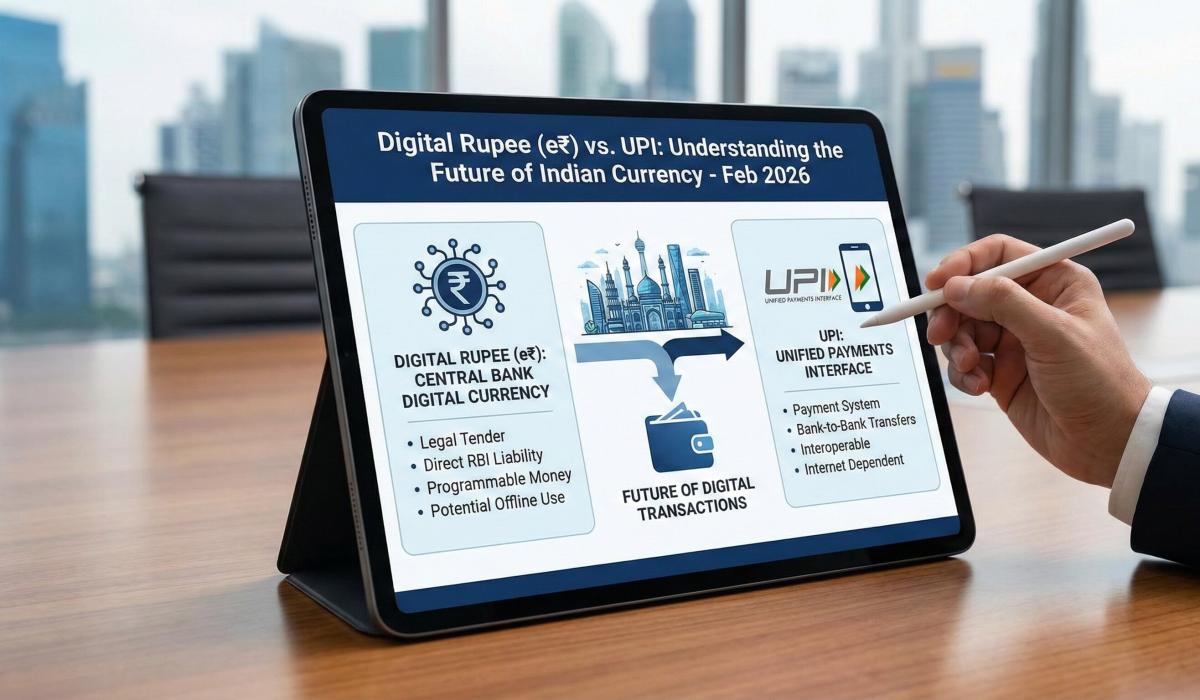
Digital Rupee (e₹) vs. UPI: Understanding the Future of Indian Currency
Understand the difference between Digital Rupee (e₹) and UPI in 2026. Learn when to use each, privacy benefits, and how to adopt e₹ today.
Arjun Sharma
Content Lead – Banking & Payments
calculate Financial Calculators
EMI Calculator
FD Calculator
GST Calculator
Lumpsum Calculator
Mutual Fund Returns Calculator
PPF Calculator
RD Calculator
SIP Calculator
SWP Calculator
article Latest Blog Posts
A Comprehensive Guide to Home Loan Interest Rates: Fixed vs. Floating in 2026
A detailed 2026 guide to home loan interest rates comparing fixed, floating, and hybrid options. Learn the real cost difference, EMI impact, risks, RBI policies, and which option saves you more over 20 years.
EMI & Loans • 8 MINS READ
Mutual Fund Returns Calculator: How It Works, Accuracy & FAQs Explained
A Mutual Fund Returns Calculator helps you estimate the future value of your mutual fund investment using inputs like investment amount, tenure, contributions, and expected returns. It uses compounding to project potential growth and helps you plan smarter investment decisions.
SIP & Investing • 6 MINS READ
NEFT vs RTGS vs IMPS vs UPI: Which Transfer Method Should You Use?
NEFT, RTGS, IMPS, or UPI — which transfer method should you use? Compare limits, timing, charges and best use cases. Full guide with 2025 RBI & NPCI figures.
Banking & Transfers • 16 MINS READ
New Tax Regime vs Old Tax Regime: A Real-Numbers Comparison for Salaried Indians (FY 2025-26)
New vs old tax regime FY 2025-26 — compare real tax on ₹6L, ₹10L & ₹15L salaries. See who pays zero tax and find your break-even point.
Tax & Financial Planning • 15 MINS READ
Planning an FD? Don’t Miss These Top Questions About FD Calculators
Curious how FD calculators work? This guide answers the top questions to help you calculate returns, compare plans, and invest smarter in fixed deposits.
FD, PPF & Savings • 5 MINS READ