Bank of Baroda (BoB) World: How to Use the Unified App for All Your Banking Needs
Explore unified banking apps combining NEFT, RTGS, UPI, and more. Simplify your finances with integrated digital banking in 2026.
Priya Nair
Senior Compliance Editor at IFSC.co
11 min read
Table of Contents
- Pre-Requisites: Your 2026 Digital Toolkit
- Step-by-Step Guide: Activating bob World (2026 Edition)
- The "IFSC Code" Trap in bob World
- Navigating the Dashboard: The 4 Pillars
- Transaction Limits and Charges (2026 Update)
- Troubleshooting: Fixing Common 2026 Errors
- Security: 2026 Fraud Prevention Standards
- Frequently Asked Questions (FAQ)
- Conclusion
A few years ago, the "bob World" app had a bit of a... complicated reputation. Between the regulatory hiccups of the past and a user interface that felt like it was designed in the early 2010s, many of you probably stuck to internet banking or just braved the queue at the branch.
But here is the deal—it’s 2026. The tech stack has been completely rebuilt from the ground up. With the new RBI Digital-First mandates kicking in this April, using the app isn't just convenient; it's practically mandatory for anyone who values their time. The modern bob World is no longer just a passbook on your phone; it is a "Super App"—a single portal for everything from buying digital gold and applying for IPOs to booking flights and, of course, transferring funds.
However, with great power comes strict security. With the April 2026 Risk-Based Authentication (RBA) rules looming, setting up bob World requires more than just an OTP. It demands a specific digital hygiene that catches many users off guard. Today, I’m going to walk you through exactly how to navigate this beast, avoid the dreaded "Error L02" lockouts, and explain why your branch’s IFSC code matters more than you think in this unified ecosystem.
Pre-Requisites: Your 2026 Digital Toolkit
Trust me on this—90% of "Registration Failed" errors happen because users ignore one of these basics. If you are trying to set this up while waiting for your coffee, make sure you have the following ready. The 2026 protocol uses "Silent Mobile Verification" (SMV), meaning the app talks to the telecom network in the background, bypassing standard SMS interception risks.
|
Requirement |
Why You Need It (2026 Context) |
|
Registered Mobile Number (RMN) |
The SIM must be in the primary slot (Slot 1). Dual-SIM glitches are the #1 cause of failure in the new app version. |
|
Active SMS Plan |
The app sends an encrypted outgoing SMS. "Unlimited Data" packs often don't cover this short-code SMS; check your main talktime balance. |
|
Physical Debit Card |
Required for the "Self-Registration" route to authenticate your identity against the Core Banking System. |
|
Android 14+ / iOS 18+ |
Older OS versions are blocked because they lack the "App Sandboxing" features required by RBI's 2026 security guidelines. |
|
Correct Branch IFSC |
Essential for verifying your home branch status. If your branch was merged, your old IFSC is invalid. |
Pro Tip: If you recently updated your mobile number at the branch, wait 24 hours before trying to register on the app. The sync between the branch server and the central digital server runs in an overnight batch process.
Step-by-Step Guide: Activating bob World (2026 Edition)
There are two main ways to get in. Method 1 is for those with a Debit Card handy. Method 2 is for everyone else.
Method 1: Self-Registration (The Debit Card Route)
This is the standard path and gives you full transaction rights immediately.
- Download & Clean Install: Install bob World from the official Play Store or App Store. Do not restore it from a cloud backup or use "Phone Clone" apps; install it fresh to ensure no corrupt cache data exists.
- SIM Binding (The Silent Handshake):
- Open the app and tap Login.
- Grant permission for Phone and SMS. This is non-negotiable.
- The app will automatically detect the SIM in Slot 1. Tap Confirm.
- Troubleshooting: If you see a spinner that never ends, toggle Airplane Mode on/off to reset your network tower connection.
- OTP Verification: Once the SIM is bound, you will receive a 6-digit OTP. Enter it to verify your ownership.
- Card Verification:
- Select Register using Debit Card.
- Enter your 14-digit Account Number (do not include the leading zeros if your passbook shows them).
- Enter the last 6 digits of your Debit Card and the expiry date (MM/YY).
- Set Your PINs: You will need to set two different PINs. Write these down—confusing them is the easiest way to get locked out.
- Login PIN: 4 digits used only to open the app.
- Transaction PIN: 4 digits used to authorize payments.
- Security Note: In 2026, simple sequences like "1234", "1111", or your birth year are automatically rejected by the system.
Method 2: The Activation Key Route (No Debit Card?)
If you don't have a debit card, or if Method 1 fails with a "Details Mismatch" error, you need an Activation Key. This is the fallback mechanism BoB uses to ensure you are really you without relying on plastic cards.
- Visit any BoB ATM or your Base Branch.
- At the ATM: Insert your card (or use UPI-ATM cardless entry) > select M-Connect / Mobile Banking > De-Register (if previously registered) > Register.
- The Key: You will receive a 4-digit Activation Key via SMS. Note that this key is valid for 48 hours only.
- In the App:
- Complete the SIM verification steps as above.
- When asked for registration mode, select "I have an Activation Key."
- Enter the key, and you will be prompted to set your Login and Transaction PINs directly.
The "IFSC Code" Trap in bob World
Since you are reading this on ifsc.co, let’s address a critical oversight that causes failed transactions. bob World has a feature that "Auto-Populates" branch details when you add a beneficiary. Do not blindly trust this.
Why Manual Verification Matters in 2026
Bank of Baroda has absorbed several smaller entities (like Dena Bank and Vijaya Bank) over the years. In early 2026, further internal branch rationalization occurred to streamline operations.
- The Problem: The app might auto-fetch an old IFSC code (e.g., BKDN0... or VIJB0...) based on cached data in your phone's contact list or old transaction history.
- The Risk: If you transfer money to an invalid or merged IFSC via IMPS, the money may bounce. However, due to the new strict fraud checks, a "credit reversal" can now take up to 7 working days.
- The Fix: Before adding a new payee in bob World, go to ifsc.co and search the branch name. Confirm the current, active IFSC (it should almost always start with BARB0...). If the app’s auto-filled code doesn't match the one on our site, manually edit it.
Pro Tip: For RTGS transfers (above ₹2 Lakhs), the IFSC is the primary routing identifier. If you get this wrong, the transaction will be rejected instantly by the RBI settlement server, and you might be charged a processing fee despite the failure.
Navigating the Dashboard: The 4 Pillars
The reason it is called "World" is that it groups your financial life into four distinct "worlds" at the bottom of the screen. Understanding these will save you hours of menu-digging.
- Save (The Banking Hub): This is your default home screen. Here you can view your Savings Account, Current Account, and Fixed Deposits.
- 2026 Feature: You can now download your Interest Certificate directly from here for IT returns without logging into the desktop site.
- Invest (The Wealth Hub): This section has seen the biggest upgrade. You can buy Digital Gold (24K) for as little as ₹1 or apply for IPOs directly via ASBA without needing a third-party broker app.
- Borrow (The Loan Hub): Need funds fast? The "Digital Lending" tab uses the Account Aggregator framework. If you are pre-approved, the money hits your account in roughly 60 seconds.
- Shop (The Lifestyle Hub): This is where BoB competes with Google Pay. Use it to book Flights and Hotels. BoB often runs "Zero Convenience Fee" offers here that you won't find on other travel aggregators.
Transaction Limits and Charges (2026 Update)
Understanding your limits is key to avoiding failed transactions. With the new fiscal year updates, BoB has revised some ceilings to balance convenience with security.
- UPI Limits:
- Daily Cap: ₹1,00,000 for standard transfers.
- Educational/Medical: New 2026 rule allows up to ₹5,00,000 per day to verified merchants (hospitals/colleges).
- IMPS (Instant 24x7):
- Limit: Up to ₹5 Lakhs per day.
- Charges: ₹5 + GST for amounts above ₹1 Lakh.
- NEFT (24x7):
- Limit: Up to ₹25 Lakhs per day for retail users.
- Charges: Free of charge when done via the app.
- Quick Fund Transfer (No Beneficiary):
- Limit: Capped at ₹25,000 per day.
Note on "Cooling Period": If you add a new beneficiary today, you can only transfer ₹50,000 in the first 24 hours. This is a hard-coded fraud prevention rule that cannot be bypassed by calling customer care.
Troubleshooting: Fixing Common 2026 Errors
If the app isn't working, it’s likely one of these specific codes. The 2026 update provides very specific error codes, but they can be cryptic.
1. Error L02 / "Unable to Process Request"
This is the most feared error. It is a security lockout. It happens if you entered the wrong PIN three times or if the app suspects "unusual behavior" (like logging in from a new city abruptly).
- The Fix: You cannot fix this inside the app's settings. You must use the "Forgot Login PIN" option on the home screen. You will need your Transaction PIN to reset it. If you have forgotten both, you are locked out and must deregister via ATM/Net Banking.
2. Error: "Device Integrity Failed" (Root/Jailbreak)
The 2026 update includes aggressive root detection to comply with RBI's RBA guidelines.
- The Fix: Even if your phone isn't rooted, having "Developer Options" enabled in Android settings can trigger this.
- Go to Settings > System > Developer Options.
- Turn it OFF.
- Clear the bob World app cache and restart.
3. Error 901: "Sim Binding Failed"
The app sends the SMS, but verification hangs or fails.
- The Fix: This is almost always an SMS Center (SMSC) issue.
- Check if you have a "Negative Balance" on your main talktime (common with Jio/Airtel if your validity expired).
- Dual SIM Users: Disable the second SIM card temporarily in your phone settings, register the app, and then re-enable the second SIM.
Security: 2026 Fraud Prevention Standards
The "Screen Share" scam and "Digital Arrest" threats are the biggest risks right now. Here is how bob World protects you.
The "April 2026" Compliance
In preparation for the RBI's Risk-Based Authentication deadline, bob World now actively scans your environment.
- Remote Access Block: If you have apps like AnyDesk, TeamViewer, or QuickSupport running in the background, bob World will force close. It will not allow you to bank while these apps are active to prevent remote takeover.
- Accessibility Services: The app will ask you to disable "Accessibility" permissions for untrusted apps. This prevents malware from reading your OTPs off the screen or clicking buttons on your behalf.
Pro Tip: Never, and I mean never, approve a UPI collect request inside the app unless you are the one asking for money. bob World (2026 version) now puts a giant RED BANNER on collect requests, but in the heat of the moment, people still click it. Read the banner!
Frequently Asked Questions (FAQ)
Q1: Can I use bob World on two phones simultaneously?
A: No. bob World enforces a strict Single Device Policy. If you try to log into a second device (like an iPad or a secondary phone), the session on your first device will be automatically killed and deregistered. You will have to redo the SIM binding process on the new device.
Q2: I got a new phone. How do I transfer my bob World?
A: You don't "transfer" it. You must install the app on the new phone and register afresh using the SIM card (which must be physically moved to the new phone). The old app instance will stop working immediately upon the new registration.
Q3: My transaction failed, but the amount was debited. What should I do?
A: This is usually a "Deemed Approved" timeout. Don't panic. Go to More > Complaints > Transaction Related. BoB’s auto-reconciliation system usually refunds this within T+1 (one working day). If not, raise a dispute using the Transaction ID.
Q4: Why does the app say "Invalid IFSC" when I try to add a Dena Bank account?
A: Because Dena Bank IFSCs are now invalid. You must use the new BARB0... code assigned to that branch after the merger. Search for the specific branch on ifsc.co to find the replacement code.
Q5: What is the "bob World Lite" I see in the store?
A: That is a stripped-down version designed for older phones or areas with 2G/3G connectivity. It allows basic transfers and balance checks but lacks the "Super App" features like loan applications, flight bookings, or mutual fund investments. Use the main app if your smartphone supports it.
Conclusion
bob World in 2026 is a powerful tool, but it demands respect. The security layers might feel annoying—until they save your savings from a phishing attack. By keeping your mobile number active, verifying your IFSC codes manually on ifsc.co, and keeping your "Developer Options" off, you can handle 100% of your banking without ever stepping foot in a branch.
Related Blogs
Published on Jun 22, 2025
The Future of Banking: How AI and Biometrics are Replacing Traditional Passwords
Explore how AI and biometrics are transforming banking security in 2026. Learn about passwordless authentication and secure digital banking.
Priya Nair
Senior Compliance Editor at IFSC.co
Published on Jun 19, 2025
Punjab National Bank (PNB) Digital Transformation: Navigating the PNB ONE App in 2026
Master PNB ONE app in 2026. Learn setup, new security protocols, troubleshooting, and how to use IFSC codes for seamless digital banking.
Arjun Sharma
Content Lead – Banking & Payments
Published on Jun 15, 2025
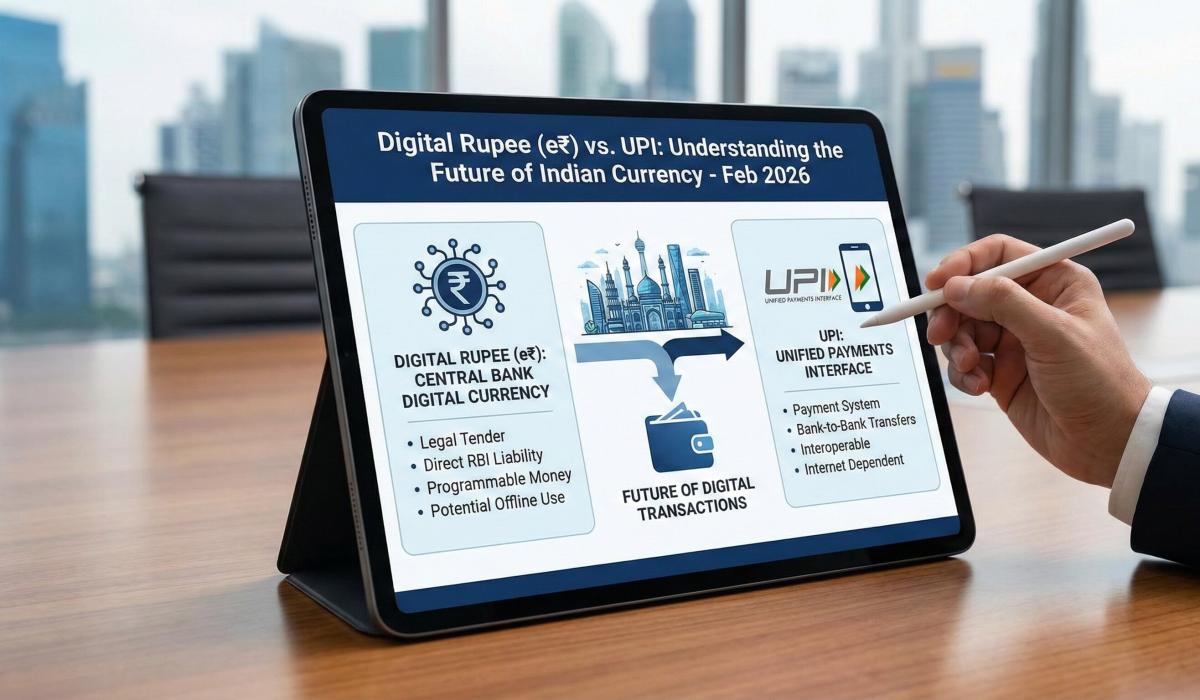
Digital Rupee (e₹) vs. UPI: Understanding the Future of Indian Currency
Understand the difference between Digital Rupee (e₹) and UPI in 2026. Learn when to use each, privacy benefits, and how to adopt e₹ today.
Arjun Sharma
Content Lead – Banking & Payments
calculate Financial Calculators
EMI Calculator
FD Calculator
GST Calculator
Lumpsum Calculator
Mutual Fund Returns Calculator
PPF Calculator
RD Calculator
SIP Calculator
SWP Calculator
article Latest Blog Posts
A Comprehensive Guide to Home Loan Interest Rates: Fixed vs. Floating in 2026
A detailed 2026 guide to home loan interest rates comparing fixed, floating, and hybrid options. Learn the real cost difference, EMI impact, risks, RBI policies, and which option saves you more over 20 years.
EMI & Loans • 8 MINS READ
Mutual Fund Returns Calculator: How It Works, Accuracy & FAQs Explained
A Mutual Fund Returns Calculator helps you estimate the future value of your mutual fund investment using inputs like investment amount, tenure, contributions, and expected returns. It uses compounding to project potential growth and helps you plan smarter investment decisions.
SIP & Investing • 6 MINS READ
NEFT vs RTGS vs IMPS vs UPI: Which Transfer Method Should You Use?
NEFT, RTGS, IMPS, or UPI — which transfer method should you use? Compare limits, timing, charges and best use cases. Full guide with 2025 RBI & NPCI figures.
Banking & Transfers • 16 MINS READ
New Tax Regime vs Old Tax Regime: A Real-Numbers Comparison for Salaried Indians (FY 2025-26)
New vs old tax regime FY 2025-26 — compare real tax on ₹6L, ₹10L & ₹15L salaries. See who pays zero tax and find your break-even point.
Tax & Financial Planning • 15 MINS READ
Planning an FD? Don’t Miss These Top Questions About FD Calculators
Curious how FD calculators work? This guide answers the top questions to help you calculate returns, compare plans, and invest smarter in fixed deposits.
FD, PPF & Savings • 5 MINS READ